New report by NetBramha, powered by Poocho: How Indians decide whom to trust with their money →
Your savvy research assistant is here. Check out Poocho Studio.

We’ve released guest meeting links on Poocho.
This means you can invite stakeholders, clients, or team members to observe a live session without requiring them to create an account on Poocho.
This makes it much easier to involve product teams, designers, marketers, or leadership in live research sessions. No account setup, no unnecessary back-and-forth, and no need to download and manually share recordings afterward.
There are two ways:
1) From the Project Dashboard
On the calendar, hover over a scheduled session.
You’ll see the guest meeting link available there for that session.
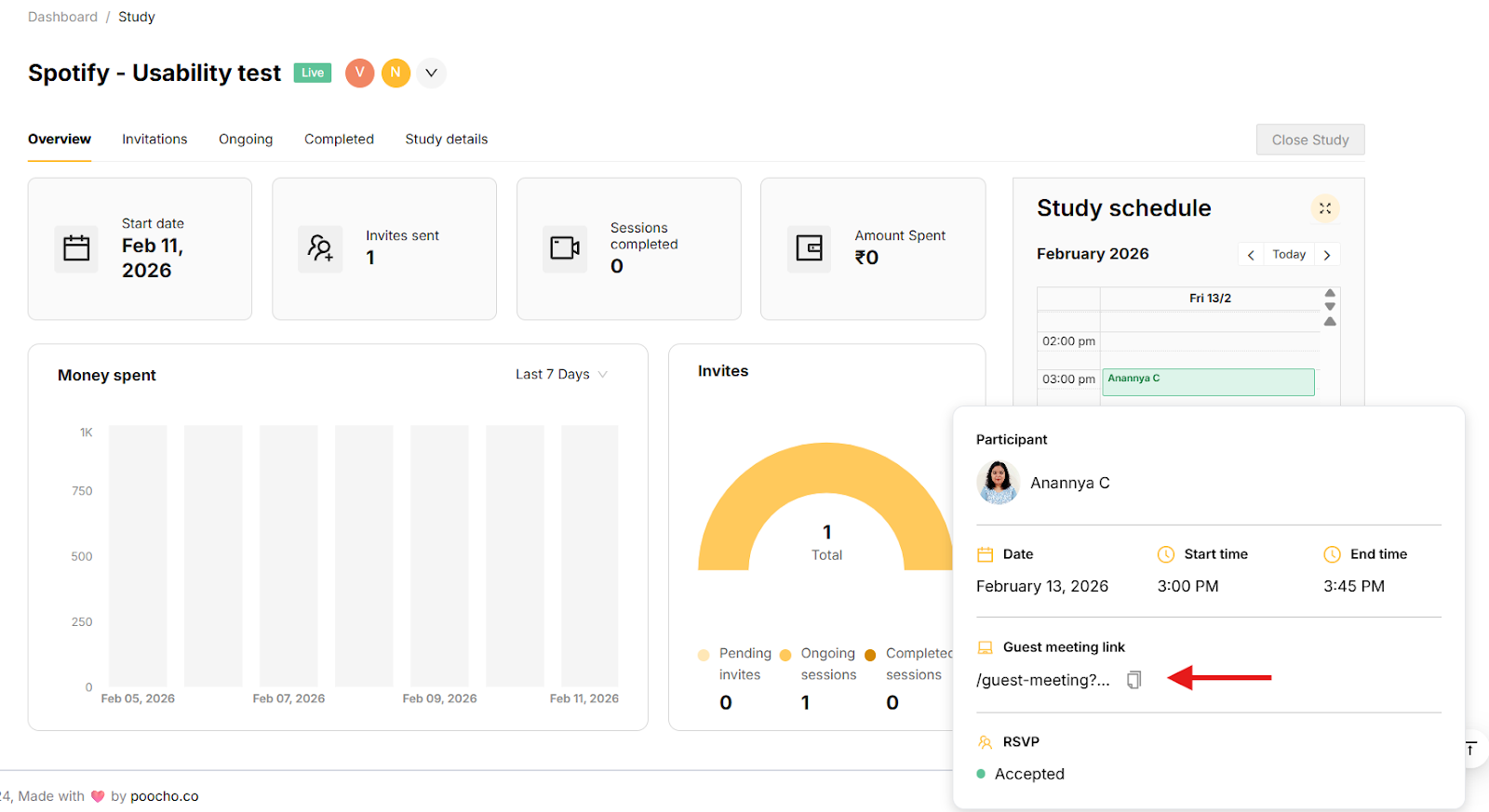
2) From the ‘Ongoing’ tab
Open the participant drawer and go to the Session details tab.
You’ll find the Guest meeting link listed there.
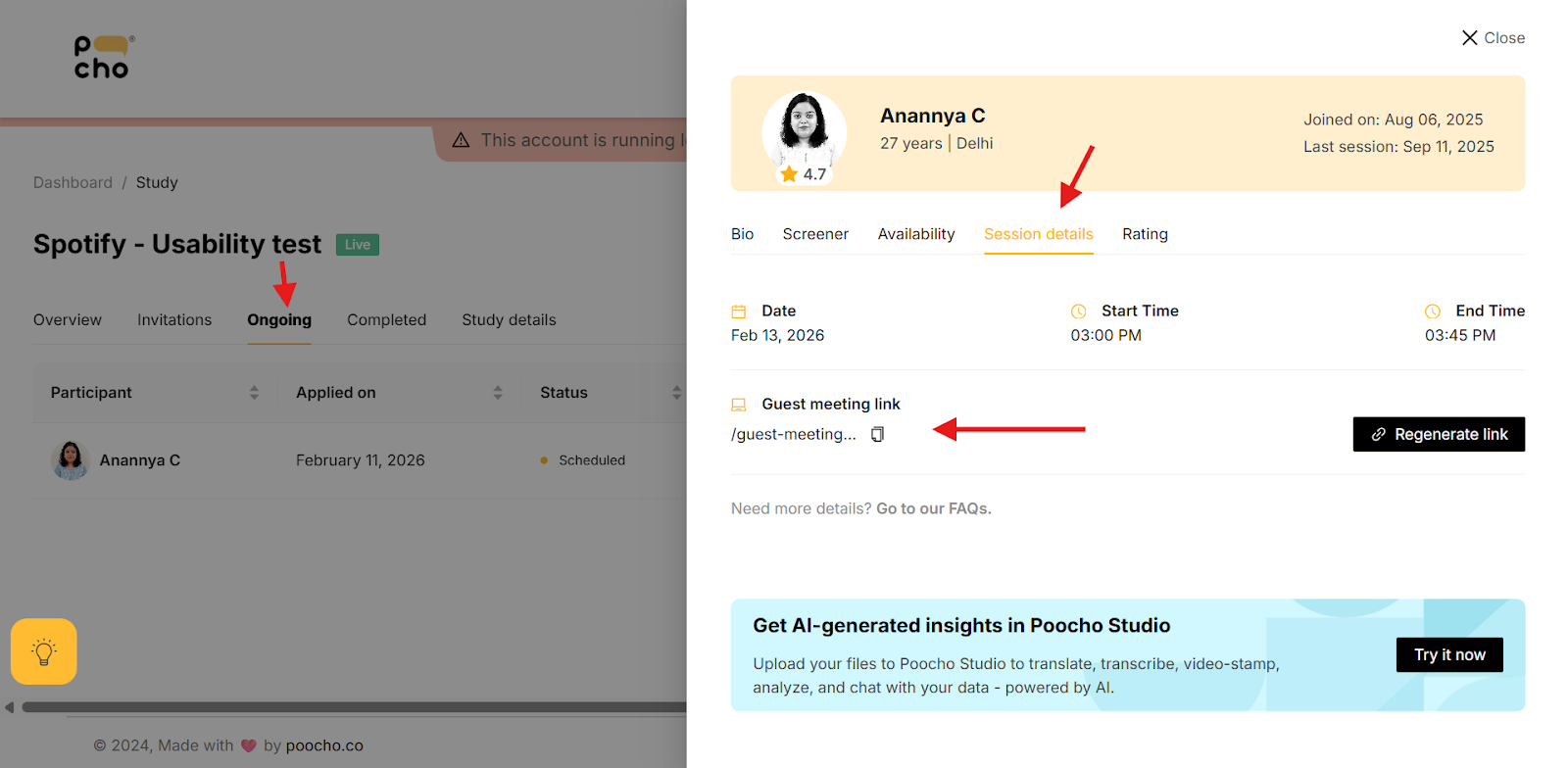
Just copy the link and send it across.
Guest Meeting Links are now available for all scheduled sessions. Try it in your next study and let us know what you think. Write to us at desk@poocho.co