New report by NetBramha, powered by Poocho: How Indians decide whom to trust with their money →
Your savvy research assistant is here. Check out Poocho Studio.

We’ve shipped two major updates to make your research sessions smoother: both for what happens inside a session, and what happens around it.
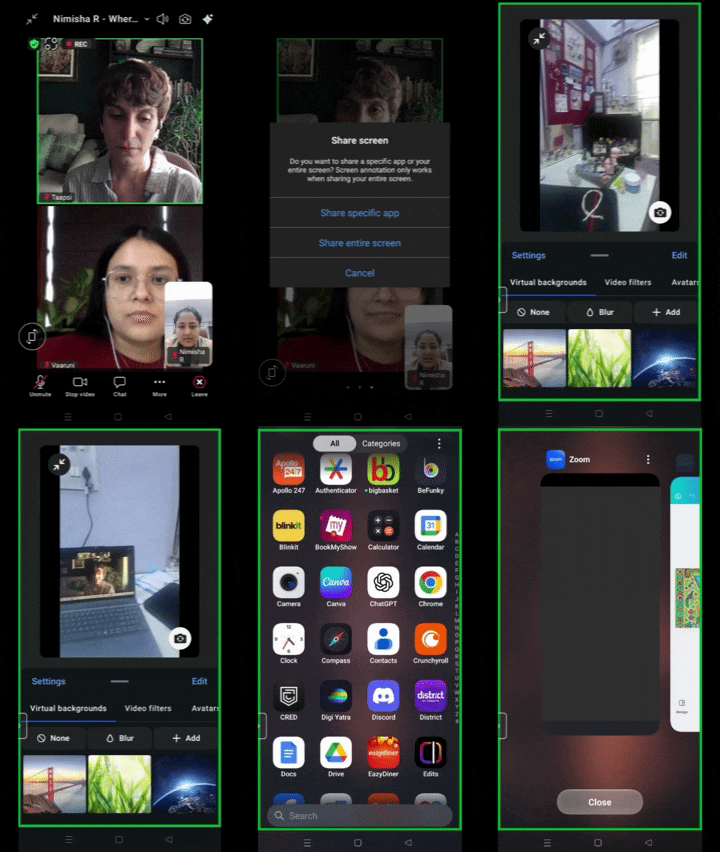
We now support mobile screensharing by Participants on the Poocho platform.
This means you can watch them use apps, open links, browse, type, and navigate in real time — on their own device, in their own environment. It’s the closest you can get to sitting next to them while they use your product.
Here are a few powerful ways teams can use mobile screenshare:
Usability testing on real devices
Watch participants move through your app, website, or prototype on their own phones.
Mobile journeys and flows
Yes, you can still test apps, websites, and prototypes — but now with the added ability to see the full flow: how people naturally switch between apps, search, scroll, and navigate on their own devices.
Hybrid tasks
Participants can jump between their screen and camera. For example, scanning a product, opening an app, checking prices, and then showing what they chose: all in one session.
You’ll now see a support widget inside the Recruit platform where you can:
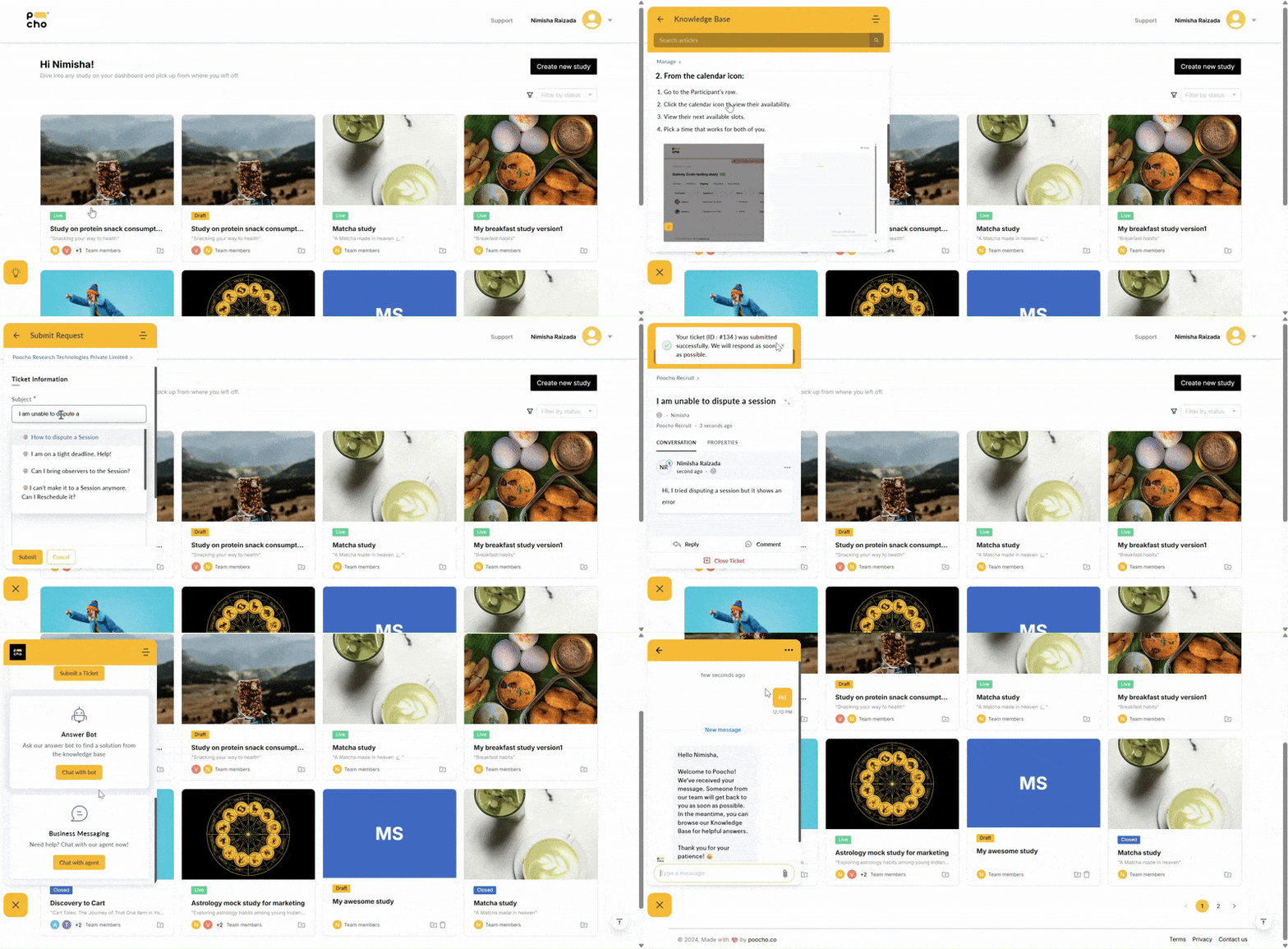
Now, if something comes up during a live study, help is right there. Without leaving the platform.
Note: Live chat is only available Monday to Saturday, 10:00 am to 6:30 pm.
Both of these updates are now live so go check them out!
Have feedback or thoughts on what we should build next? Write to us at desk@poocho.co.